On Demand Cloud Servers

Last Friday we received a frantic call from yet another business saying their data center / service provider was closing down.  They were given a three-day notice (pretty good comparing to other similar situations) and told that they needed to get their equipment & data out.  Unfortunately, *not* an uncommon scenario these days…

We spent a couple of hours discussing possible solutions including colo service, where they would just bring their VOIP systems over to our datacenter, dedicated servers that we would setup with new installs of CentOS and Windows Server 2008 R2 + a Cisco ASA for firewall / VPN protection, and finally a hybrid approach using cloud servers that they could expand as their business expands + an ASA to secure everything.   They chose the hybrid approach as it was the most economical, plus gave them the ability to expand as needed.  We had the servers setup within a few short hours and they began setting up the servers & migrating their data.

By Monday afternoon, going with a hybrid approach turns out to be the best choice.  They found that some of their software was going to be more difficult than expected to upgrade.  They have a colo server with their main PBX system, a dedicated firewall / vpn device (Cisco ASA 5505), a Linux cloud server that will take over as their PBX as soon as they get some software issues hammered out, and a Windows-based cloud server running their billing systems.

Your data center partner should be helping you with these types of solutions.  If they are not, email me at jkh@cera.net and we’ll get you started.

MAC multi-tunneling VPN connection

Apple makes great computers.  Unfortunately they software selections are not the most robust.  Recently we rolled out a solution to a new client including a virtual private network, cloud servers, and software licensing.  Everything has gone relatively smoothly with the exception of a couple small issues including using the Cisco AnyConnect VPN client on a MAC.  The client tries to force all of traffic down the VPN connection when it should be sending only the traffic to the server.  This means that when the client is connected to the VPN, he cannot get to outside web sites, email, etc.  Obviously an issue & since he is the one paying the bills, its our problem.

There are many workarounds available from the thousands of MAC users out there with similar issues.  Each one has some potential issues and will inevitably end up being a support nightmare.  I believe we are going to implement a site to site connection using an ASA at his site that directly connects to the ASA here, therefore eliminating the need for the software client.

If Apple is going to make a serious push to get their computers more involved in the business environment, they are going to need to dedicated more resources to providing software to make it happen.

Payment Card Industry (PCI) Compliance

Every week a client calls or emails with PCI compliance issues.  Usually they merchant account provider has initiated a software scan of their website and created a report showing at least 5 or 6 items that are ‘serious’ issues.  While the credit card companies and major banks such as BoA, JPM, Citi that own majority stake of them, along with the merchant account companies, use PCI standards and regulations as a way to push liability for data breaches to businesses that accept the cards from end users.  They have a vast set of compliance regulations (https://www.pcisecuritystandards.org/) in place that make it nearly impossible and largely uneconomical for small business to abide.  However, if you want to be complaint these are some of the items you need to look at:

  • Use a software scanning company to check your site.  They will give you a report that shows some of the items that you need to change on your site, hosting account, security setup, and more.
  • Look at using a secure firewall / vpn appliance like the Cisco ASA 5505 to secure your server (cloud, dedicated, or colo).  You have to use a separate application firewall to protect your data – not the firewall built into the OS and not a shared firewall.
  • Encrypt your communications from end users with SSL certificate.  Use SSL 3, not 2.
  • Once the data makes it to your server, encrypt it there.  Encrypt the database.  Make sure any backups are encrypted.
  • Most all shared servers are inherently not PCI complaint.  Despite what the low-cost, shared hosting providers say.   They guarantee compliance, say everything is secure, etc for $1.95 per month.  What do you think is going happen if there is a problem.  You will find out that their terms of service didn’t allow you use their service if you were actually accepting credit cards (this really happened to one of our newer clients), they have all sorts of options that you have to ask for to really get compliance (all adding to the price), etc.

There is more, but you’ll have to email us to find out.  Thanks for reading.

Turn your Software as a Service (SaaS) into SMARTWARE

There are thousands of Software as a Service (SaaS) applications for sale on the web today.  Everything from CRM software to many of the popular online games such as World of Warcraft (WoW).  Most of these applications run in data centers just like ours.  They are run on dedicated or co-located servers usually at the lowest possible combination of features and associated costs.  These people and businesses that offer applications online generally see servers and data centers as a necessary evil.  They are not in the business of setting up servers, data networking, and infrastructure management.  This represents a technology prospective based on the traditional of doing things and reflects the way things were in the good old days.

Cloud computing, cloud servers, Platform as a Service (PaaS), and hosted services offer a much more flexible and economical way of getting your SaaS application to end users without wasting your time and resources on physical servers.  True cloud computing solutions are easily controlled from a web-based control panel that allow you to add / change / remove processing power, memory, and storage as needed.  Couple that flexibility with advanced monitoring services that alert you when your CPU or memory run at 80% capacity and you instantly get a Smartware platform.  Smartware systems automatically tell you when you need more resources.  You can start small and grow at the exact point when you need resources.  If you see a downturn in use, you can remove resources producing instant savings.

Thinking of moving to the CLOUD?

Recently, most conversations with clients and prospects revolve around cloud services and how it can work for their particular situation. If they have dedicated or co-located servers, they want to get rid of them. Afterall, there are very few people in the ‘server’ business.  The servers are just a delivery tool.  Once you understand that, you can see how using a high availability cloud infrastructure is the obvious choice.

Benefits of Cloud Computing

Cloud based servers allow you to run your applications without the worry of setting up new servers, upgrading processors, adding memory, or replacing worn out fans or hard drives.  You can also add, change, or remove resources on the fly.  If you need more processing power to handle seasonal traffic or more storage space, all you have to do is add it from the control panel.  This type of service also allows you to only pay for what you need and use, so when the peak time is over, you can release the resources.

Hybrid Solutions

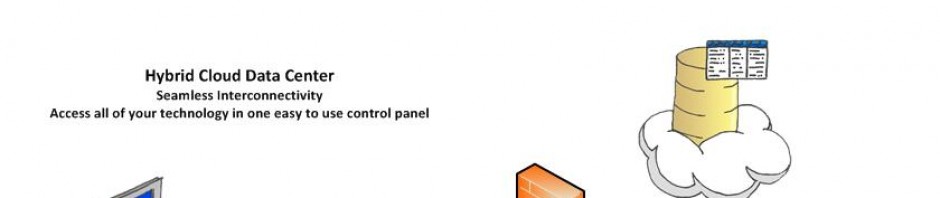
There are specific applications and regulatory compliance issues that limit your ability to use a cloud server, but we have a solution for that too.  Hybrid data center services allows you to combine cloud servers with your own ‘dedicated’ servers enabling you to combine economical platform as a service (PaaS) for the main ‘server’ functions and infrastructure as a service (IaaS) for specific functions such as secure storage, firewall and VPN (virtual private network) services, etc.

Here is an example: HIPAA and PCI (Payment Card Industry) compliance regulations dictate that you should use a separate hardware based firewall to protect your customers’ data (as well as many other things such as data encryption, regular software testings, access procedures, access audit trails, etc.).  We can offer a Cisco ASA that will allow you to set up a site to site VPN (virtual private network) for secure data communications between your office network & data entry computers and the server where the data is stored and processed.

Economics – Every Situation is Different

You need to look at the economics of each server setup.  If your system requires extensive resources (multiple servers setup in a cluster, with multiple processors, many GB of ram, etc.), it might be more economical to run your own equipment in a colo or dedicated environment vs using cloud resources.  There are also technical limitations and considerations that might require you to have your servers.

If you have questions or want to know more about how we can help, email sales@cera.net or give us a call.